
Search and jump instantly
Use full-text search to find any concept, term, or moment in a long book and jump to it with one click.
Browser-based EPUB reader with text-to-speech
Best Epub Reader with TTS and more features. Open ebooks online and read them in your browser.
Drop your ebooks (Epub) here
or click to choose a file
EPUB 2 and EPUB 3 supported, up to 100MB.
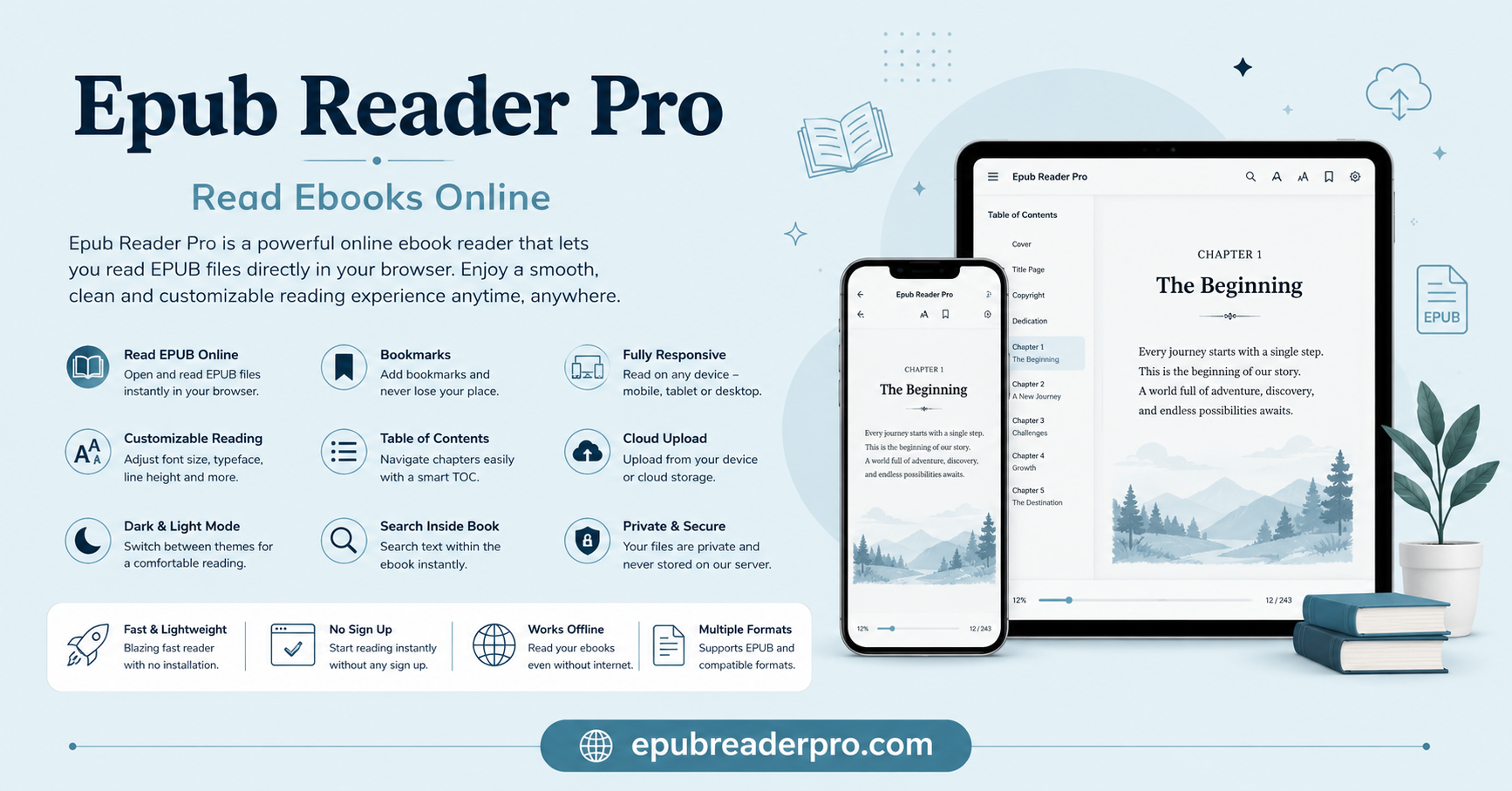
Epub Reader Pro is a free browser-based ebooks reader tool that allows users to upload and read any ebook in EPUB format. Open your EPUB file, start reading in seconds, and come back to the exact place you left off. EPUB Reader Pro is designed for fast and private reading without installing anything.
Learn more about the official W3C EPUB standard and why EPUB is the preferred format for modern digital reading.
You know there are many EPUB readers that provide only a reading experience, but we provide a listening experience too. Now you can both read and listen to your ebooks free of cost. There are very good and interesting features in this tool that you should experience if you are an electronic reading lover.
Your highlights, bookmarks, progress and reading settings are saved locally in the browser which keeps the experience simple, quick and under your control. You can resume your reading where you left before.
Start reading in 5 seconds. No account. No installation. Your files never leave your device. Everything stays in your browser.
EPUB basics
EPUB stands for Electronic Publication is the open international standard for digital books. It is maintained by the W3C and widely used across modern e-readers, reading apps, digital libraries and independent publishers.
Unlike PDF, EPUB is reflowable. That means text adapts to your screen size, font selection, and reading preferences. It is the most flexible way to read long-form content across devices.
EPUB Reader Pro focuses on the EPUB standard because it is built for modern reading. If you can open an EPUB file, you can likely read it here with text-to-speech, search, highlights, and saved progress.
Core reader features
This reader is built for people who spend real time inside EPUB files, not just a quick open-and-close.
This reader focuses on the actions that matter to most people: resume exactly where you left off, mark what matters, search quickly, and listen when you want a break from reading.
Explore all features →Workflow highlights
The reader helps you move through long books faster without losing the context you already built.
Use full-text search to find any concept, term, or moment in a long book and jump to it with one click.
Save the passages that matter, then return to them later without hunting through chapters.
Listen to the visible page using your browser voice engine. No upload, no third-party TTS services.
The reader remembers your location with precise CFI markers and keeps your spot between sessions.
Built for real reading
If you work with long-form reading, these workflows are tuned for you.
Use full-text search, jump-to-result navigation, highlights, and copyable text to move through textbooks, journal articles, and literature reviews much faster.
Switch themes, change fonts, and tune text size for a reading setup that feels comfortable on a laptop in a cafe or a tablet in bed.
Open EPUB manuscripts to review real e-reader rendering, then use paginated view and the table of contents to move through long drafts quickly.
Read technical books in-browser with advanced search, annotation, and export controls for whitepapers and reference materials.
Journalists, researchers, and anyone reading sensitive material choose it because files, progress, and reading habits stay on the device instead of being uploaded to a cloud account.
Install the PWA and keep reading or listening on planes, trains, and anywhere the connection is weak or nonexistent.
Free EPUB sources
Need something to read right now? Here are reliable public sources for free EPUB titles.
70,000+ public domain books.
Beautifully formatted public domain classics.
Millions of books, many available as EPUB.
Often accessible through Libby or OverDrive.
Curated collections of free EPUB titles.
PWA installation
EPUB Reader Pro is a Progressive Web App. Install it for faster relaunches, offline-friendly behavior, and a cleaner app-style experience outside the normal browser tab flow.
Chrome or Edge on desktop
Click the install icon in the address bar, then choose "Install".
Chrome on Android
Open the browser menu, then tap "Add to Home Screen".
Safari on iPhone or iPad
Tap Share, then choose "Add to Home Screen".
Once installed, the app shell can work offline and launches in its own window, without browser tabs. Previously loaded books and the interface itself stay much closer to a native reading app.
Learn more about setup and usageHonest comparison
Let's be honest about the landscape. There are a lot of EPUB reading options, and each one is optimized for something a little different.
vs. Calibre (Desktop)
Calibre is excellent for library management, but it is a heavy download, requires installation, and mainly lives on one device. EPUB Reader Pro is instant, cross-platform, and private.
vs. Neat Reader (Cloud)
Neat Reader offers sync, but it requires uploading your books to their servers. If privacy matters, a local-first tool is fundamentally different.
vs. EPUBReader (Browser Extension)
Firefox-only, lighter on features, and weaker for persistent highlights or full-text search. EPUB Reader Pro works across modern browsers and goes deeper for active reading.
Privacy and data
We prefer specifics over vague promises. The privacy model is simple, local-first, and easy to inspect.
Your EPUB is loaded into browser memory and parsed locally by epub.js. No data leaves your device. No server upload. No logging of your content.
Settings, progress, bookmarks, highlights, and reading history live in your browser localStorage. We never see any of it.
That saved data is gone. We do not keep a copy. Complete ownership means complete responsibility.
Anonymous, privacy-respecting analytics such as page views and session counts help us improve the site. We never see what you read, search, or highlight.
Most cloud platforms can log reading behavior by design. We chose a local-first architecture deliberately so your library habits stay yours.
Under the hood
The reader is intentionally simple to use, but the stack underneath it is built to handle real books, persistent reading state, offline behavior, and client-side export cleanly.
EPUB Reader Pro is built on epub.js, the open-source JavaScript library that handles EPUB parsing, rendering, navigation, and EPUB 3 support in the browser.
epub.js gives us CFI-based position tracking, which is how the app can return you to the exact reading position instead of only the chapter.
The app is packaged as a Progressive Web App with service worker caching, which helps enable offline behavior, fast loads, smooth navigation, and an app-like feel without native code.
Keyboard shortcuts
The most useful shortcuts for moving around a book quickly once it is open.
| Action | Windows/Linux | macOS |
|---|---|---|
| Open file | Ctrl+O | Cmd+O |
| Next page | Right Arrow/Space | Right Arrow/Space |
| Previous page | Left Arrow | Left Arrow |
| Search in book | Ctrl+F | Cmd+F |
| Add bookmark | Ctrl+B | Cmd+B |
| View annotations | Ctrl+Shift+A | Cmd+Shift+A |
Frequently asked questions
These are the questions people usually ask right before they decide whether a browser-based EPUB reader is actually trustworthy, useful, and worth keeping around.
Final verdict
There is nothing to configure, nothing to install before you begin, and nothing to sign up for. Visit www.epubreaderpro.com, drop your EPUB file into the reader, and start reading.
Your first bookmark, highlight, or search result is only moments away. And when you come back, your progress is designed to be right where you left it.
Open your book. Start reading. Keep everything local.
About the author
Alex Rivera is the passionate creator behind Epub Reader Pro, a dedicated developer who built this tool to empower readers worldwide. With a deep love for literature and technology, Alex recognized the need for a simple, privacy-focused way to read EPUB books directly in the browser without the hassle of installations or subscriptions.
Epub Reader Pro was born from the vision to make digital reading accessible, secure, and enjoyable for everyone—from students diving into textbooks to casual readers exploring new worlds. Every feature is crafted with care to ensure your reading experience remains private, fast, and seamless.